
Route Grafana Alerts to Slack through 1stLine
Use this guide when you want Grafana alerts to pass through 1stLine by Burava before they reach Slack.
By the end, you should have:
- one Alert Schema created from the Global Library schema for Grafana Slack transformed delivery
- one existing Grafana contact point edited to send to 1stLine
- one test alert visible in Alert Instances
- one Slack message delivered through 1stLine
Prerequisites
Complete the official Grafana guide on how to send to Slack channels, then follow the instructions below on how to inject 1stLine by Burava in between.
Before you start this guide, make sure you have:
- access to 1stLine
- permission to create or edit Alert Schemas
- one working Slack webhook URL from your Grafana Slack setup
- access to Grafana contact points and the alert rule or notification policy that should use this path
What changes in this setup
In the direct Grafana-to-Slack setup, Grafana sends straight to Slack.
In this setup, Grafana sends to 1stLine first. 1stLine applies the Alert Schema, creates or updates Alert Instances, can route and escalate if needed, and then forwards the transformed payload to Slack.
That means Grafana should still use a Webhook contact point, but its webhook URL should become the 1stLine Alert Producer Destination with the real Slack webhook URL filled into forwardTo.
You can also set Default Forward To on the schema as a fallback, but this guide does not assume that Grafana will omit forwardTo.
1. Create the Alert Schema from the Global Library
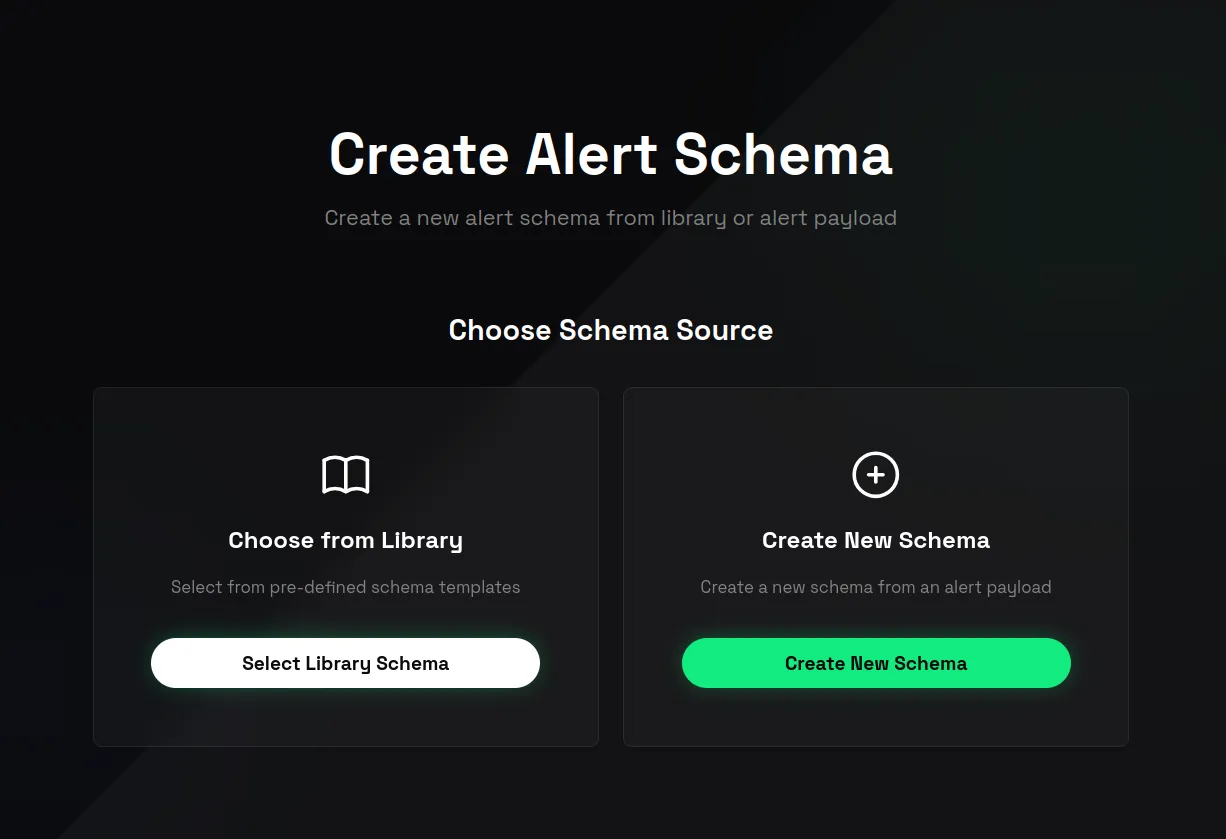
- Open Create Alert Schema.
- On Choose Schema Source, choose Select from Library.
- Click Select Library Schema.
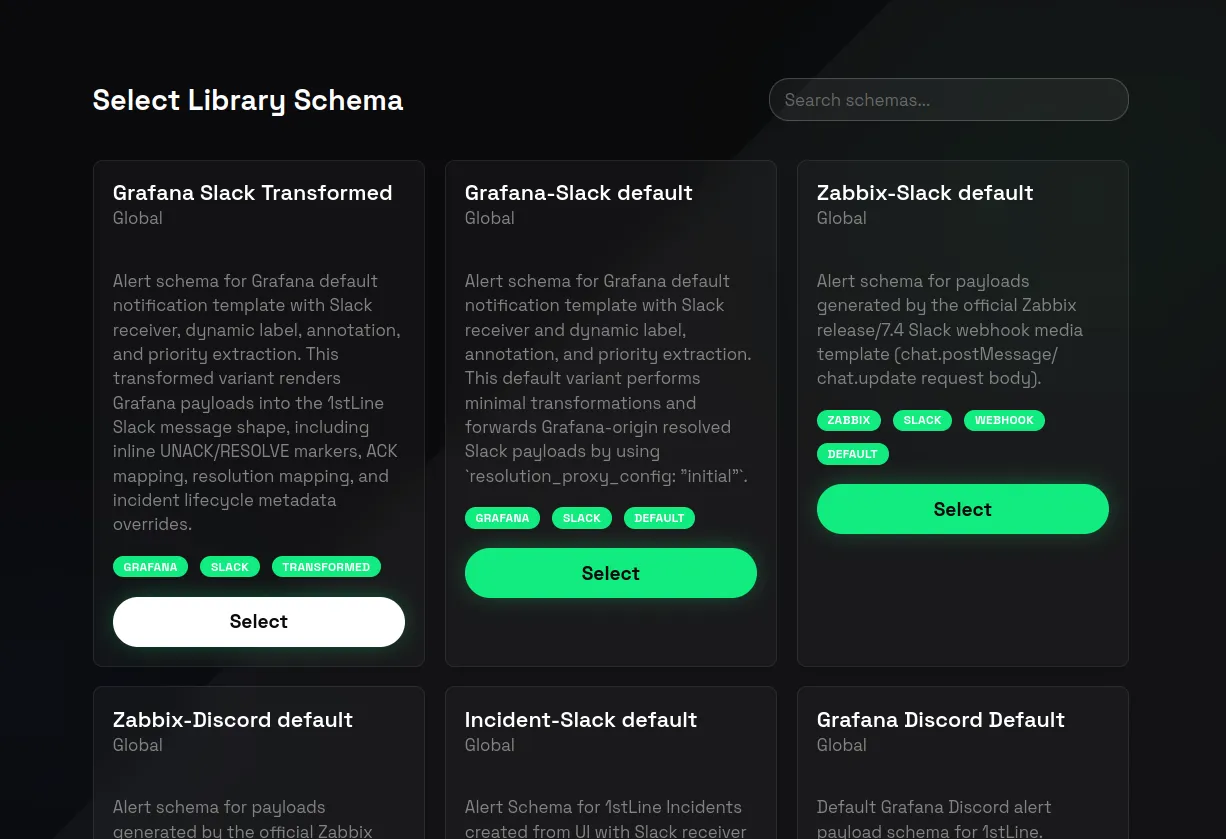
- Search for
grafanaorslack. - Select the Global Library schema that matches the
providers/grafana/receivers/slack/transformedpackage from the public library reference you provided. - Click Select.
This should create a new organization Alert Schema from the Global Library entry.
2. Optional: set fallback Slack webhook
In this guide, Grafana should send the Slack webhook through forwardTo.
You can still set Default Forward To as a fallback in case some future sender uses the same schema without forwardTo.
- In the created schema, open Schema Config.
- Expand Default Forward To.
- Paste the Slack webhook URL from your completed Grafana Slack setup.
- Confirm the section change.
If both forwardTo and Default Forward To are set, forwardTo takes precedence.
3. Copy the Alert Producer Destination
- Find the Ingestion panel.
- Copy Alert Producer Destination.
- Replace
your-destination-webhookplaceholder with your actual Slack webhook URL.
After cleanup, the URL should look like this shape:
https://1stline.burava.com/api/proxy/<schema-token>?org_uid=<org-uid>&forwardTo=https://hooks.slack.com/services/XXX/YYY/ZZZ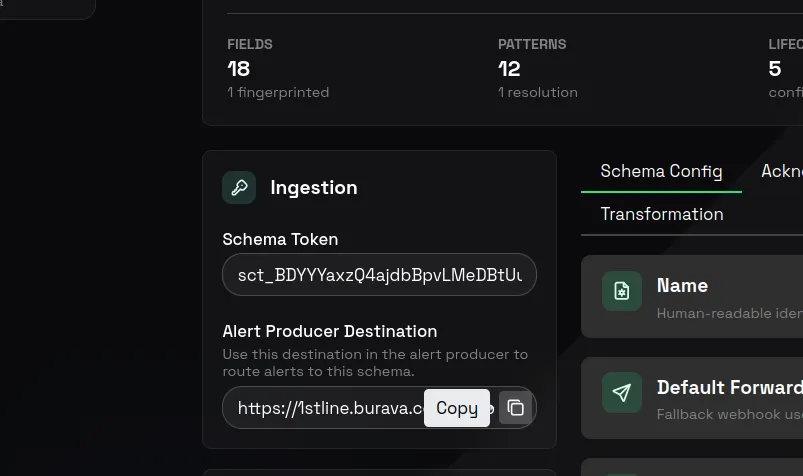
4. Edit the existing Grafana contact point to send to 1stLine
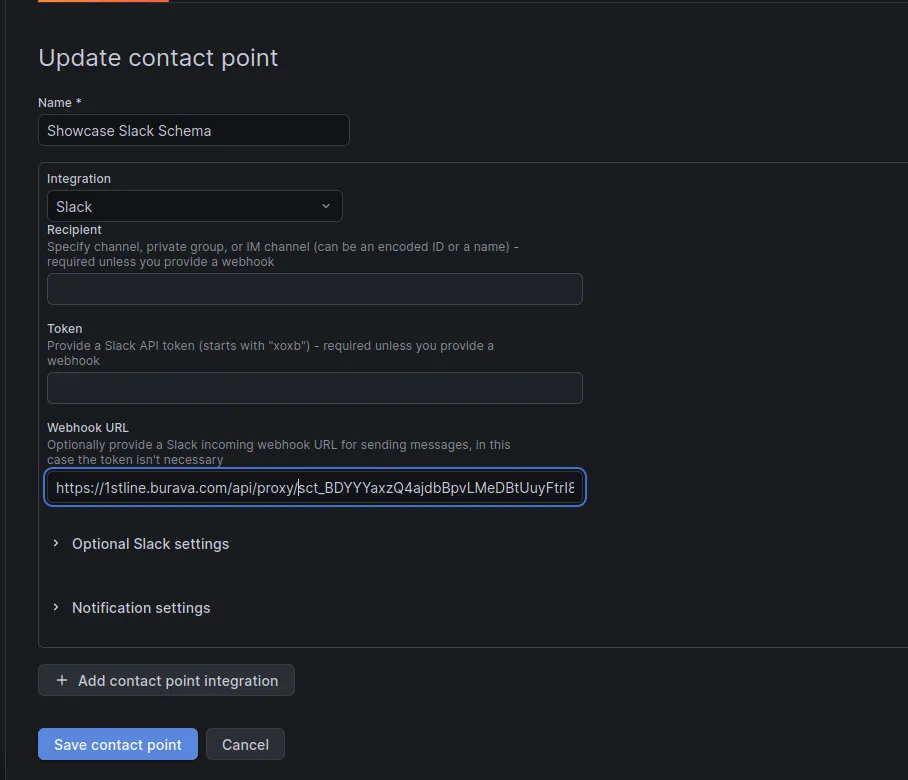
- In Grafana, open Alerting and then Contact points.
- Open the existing contact point that already works with Slack.
- Edit the Slack delivery setup so the outgoing webhook URL becomes the cleaned Alert Producer Destination from the previous step.
- Keep the contact point connected to the same alert rules or notification policies as before.
- Save the contact point but stay on the same page afterwards.
The important change here is the destination URL. Grafana should now send to 1stLine first, and 1stLine forwards the transformed payload to Slack by using the forwardTo value in the URL.
5. Send a test alert
-
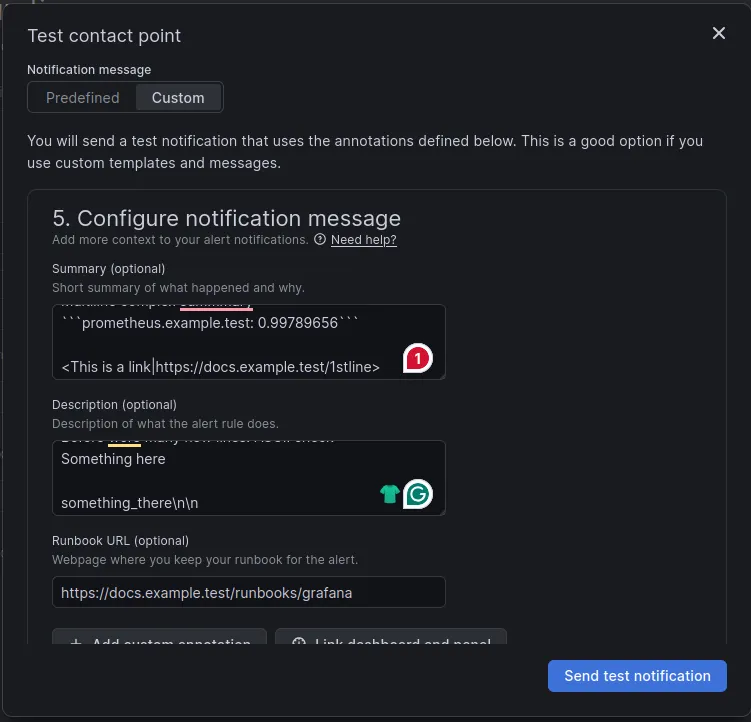
In the created contact point, click Test and switch to Custom.
-
Fill in these values:
- Summary:
Multiline complex summary```prometheus.example.test: 0.99789656```<https://docs.example.test/1stline|This is a link>- Description:
This is a multi-line description with some complex wording | / prometheus_readyBefore were many new lines. ASCII checkSomething heresomething_there\n\n- Runbook URL:
https://docs.example.test/runbooks/grafana - Labels:
Maintainer-alerts@example.test,foo-bar,priority-P3
-
Click Send test notification.
-
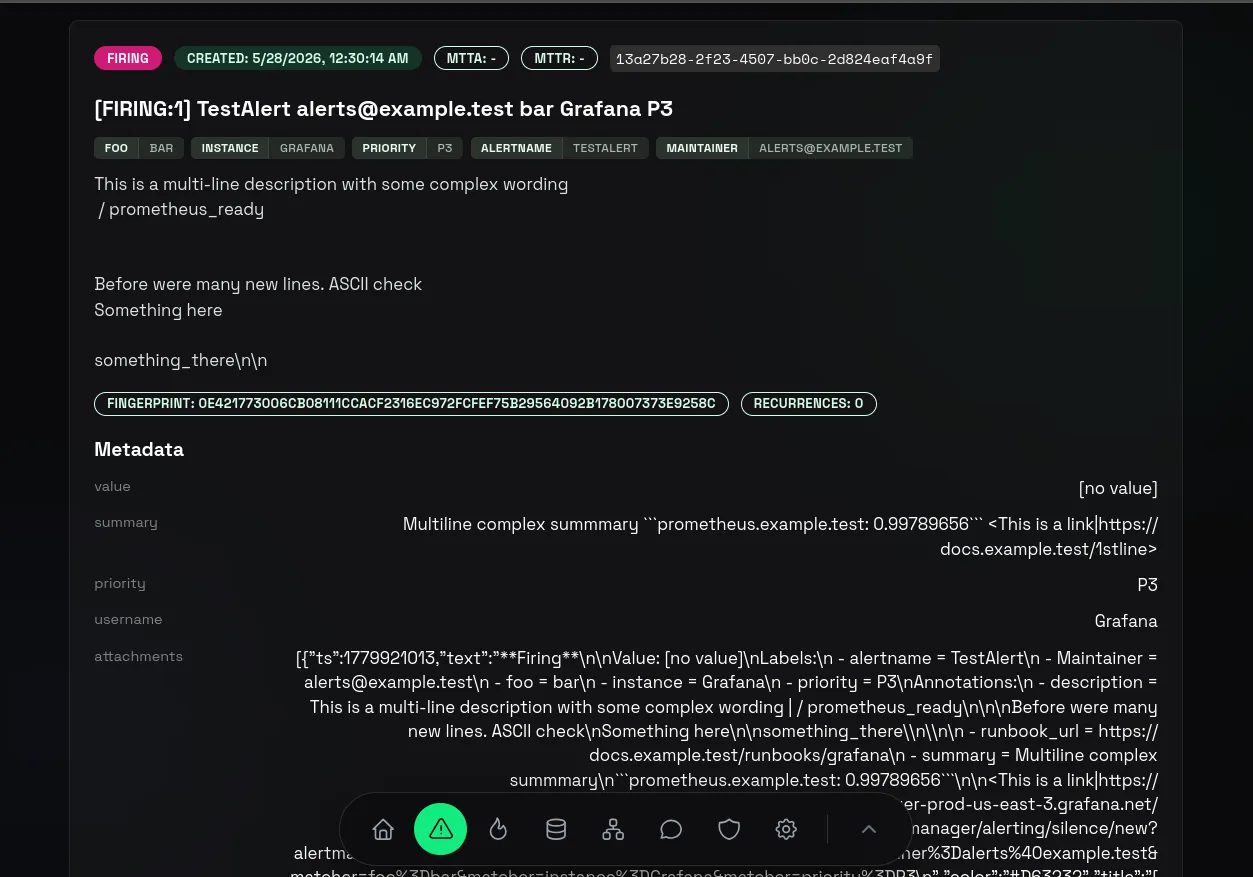
Open Alert Instances and click View details on your alert.
-
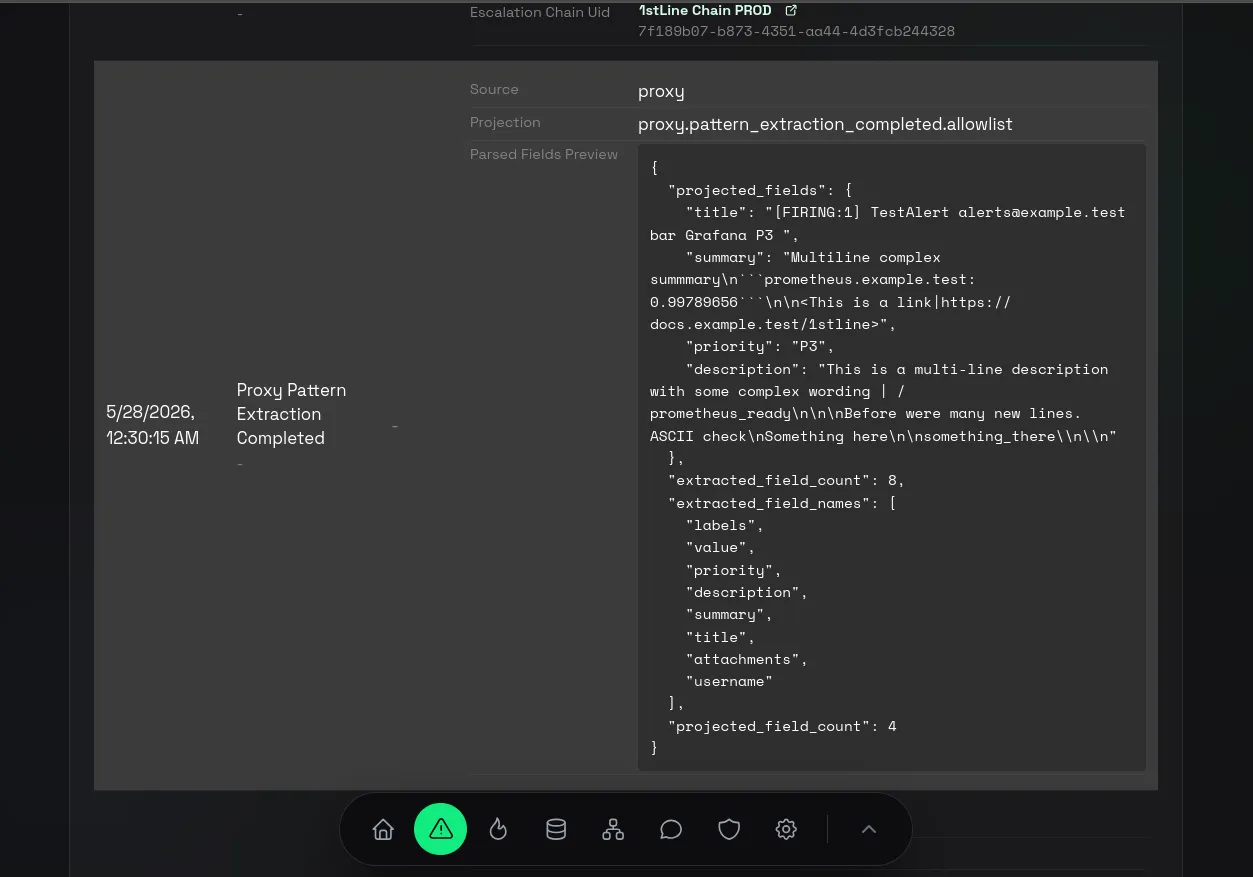
Scroll down to Internal TimeLine and find Proxy Pattern Extraction Completed event to see how the extraction worked.
-
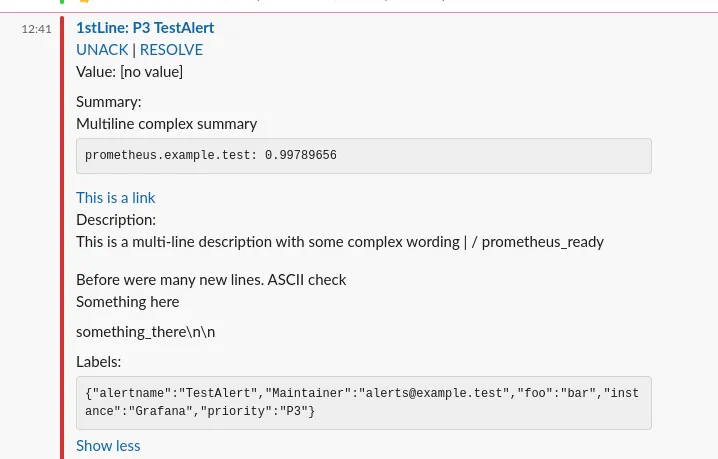
Confirm that the message also reached the target Slack channel.
-
To Acknowledge the alert with this schema, click on the message title in Slack.
-
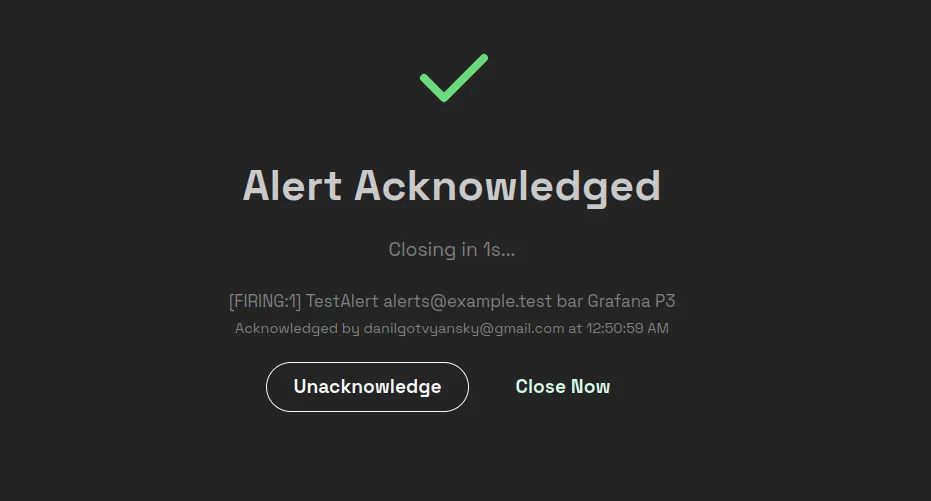
If you are already logged in to 1stLine, the Acknowledgement tab will close in a few seconds automatically and the alert will show as Acknowledged.
-
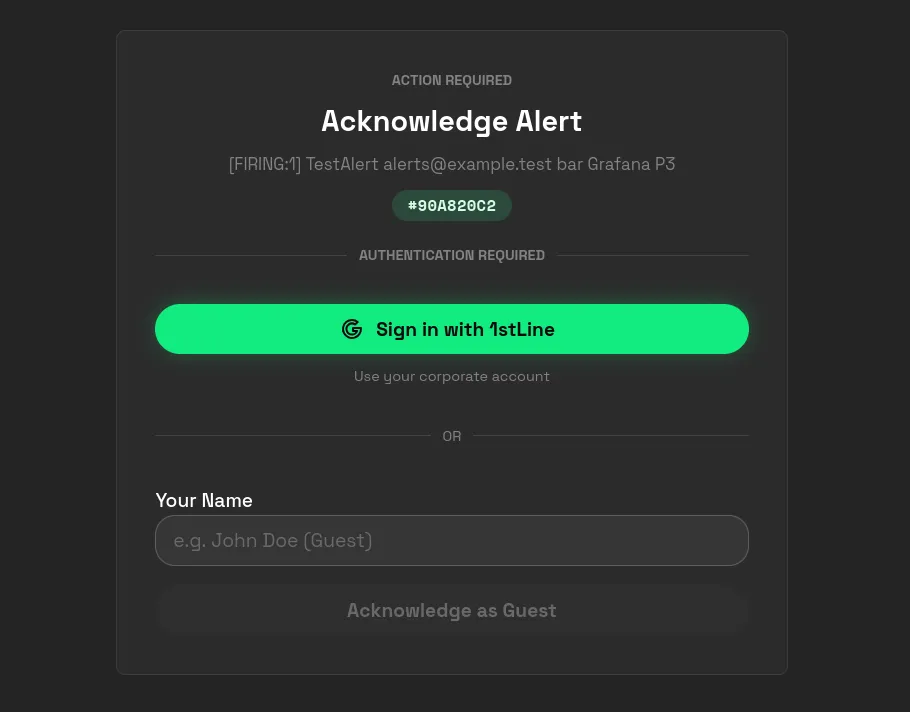
If you are not logged in and Guest Acknowledgement is enabled, you can either Sign in with 1stLine or enter your name to the Guest Acknowledgement form.
If the alert appears in 1stLine but not in Slack, check the forwardTo value inside the Grafana contact point URL first.
If the alert reaches Slack but the message shape is wrong, review the schema and see Writing Transformation Templates and Schema Patterns.
Test Contact Point
 Alert Instance details
 Proxy Pattern Extraction Completed event
 Message in Slack
 Unauthenticated action
 Authenticated action
6. Optional checks before production use
Before you roll this path out broadly, review:
- Fingerprint Fields so repeated Grafana notifications update the same Alert Instance when they should
- Proxy recurrent alerts if you want every repeated firing notification to reach Slack instead of only updating Recurrences
- Routing Rules if these alerts should also enter Escalation
- Preview Escalation after you add Routing Rules and Chains
Troubleshooting
Grafana test delivery reaches 1stLine but nothing reaches Slack
Check the forwardTo value inside the Grafana contact point URL first.
This guide expects Grafana to send the real Slack webhook URL through forwardTo.
If you also configured Default Forward To, treat it as fallback only.
Grafana contact point fails immediately
Check that Grafana is using the cleaned Alert Producer Destination and not the version that still contains forwardTo=<your-destination-webhook>.
Slack gets the message but the content is wrong
Use the same Alert Schema and review:
Related pages
- Alert Schemas
- Create Schema from Library Schema
- Schema Patterns
- Writing Transformation Templates
- Alert Instances
Grafana and Slack are third-party brands. Burava does not own, represent, or speak for those brands.